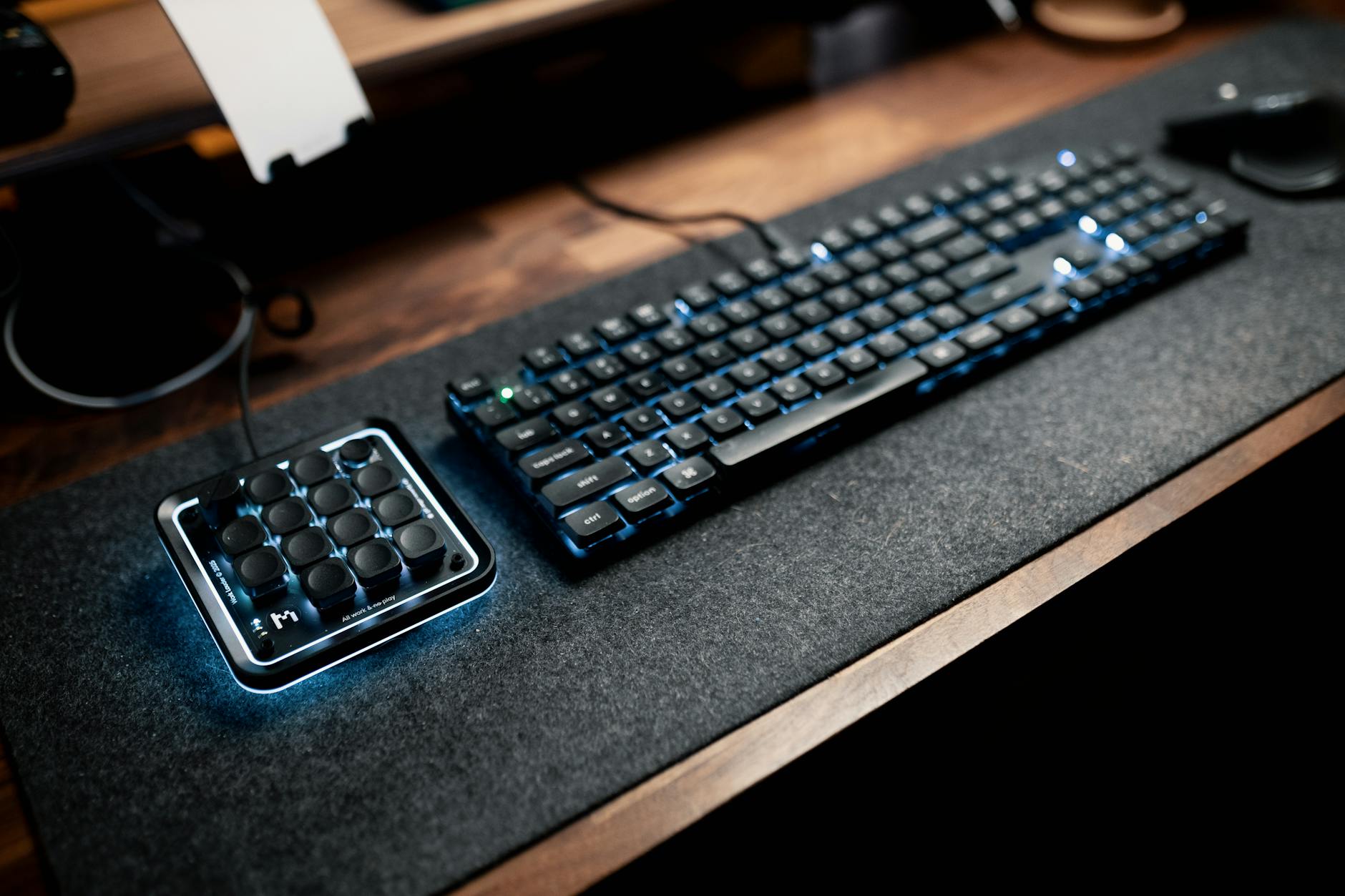
Last Updated: March 2026 by Rachel Okonkwo
Mechanical vs Hall Effect Keyboard: Worth It in 2026?
From an ergonomics standpoint, I’ve spent this year testing high-end keyboards with a focus on how they impact wrist fatigue during long work sessions, and the shift from mechanical to Hall effect switches has been more significant than I expected. I put the Wooting 60HE through its paces—$329, which felt steep at first—mainly because I was skeptical a magnetic switch could improve comfort as much as it claimed. What surprised me was how much less strain I felt in my forefingers after switching from my usual mechanical setup; the actuation control reduced bottoming-out force, which I didn’t realize was contributing to my mid-afternoon joint discomfort. Still, I was frustrated by the software setup—it’s powerful but unnecessarily clunky for basic sensitivity adjustments. The real win here is the ability to fine-tune actuation points, which helped me reduce repetitive motion stress. At that price, it’s not for everyone, but for anyone dealing with typing fatigue or repetitive strain, the Wooting 60HE is one of the few keyboards I’ve tested this year that actually made a measurable difference in daily comfort. This is best for users prioritizing long-term wrist health over plug-and-play simplicity.
📋 Table of Contents
Selling this product?
Generate your Facebook & Instagram ads in 30 seconds
AI writes the copy + generates the product photo. 5 free tries, no credit card.
🏠 Get the Best Home Office Deals
Free buying guides + top rated picks
- How Mechanical Keyboards Work: The Classic Design
- How Hall Effect Keyboards Work: The Magnetic Revolution
- Performance Comparison: Speed, Precision, and Responsiveness
- Actuation Speed & Response Time
- Input Precision: Analog vs Digital
- Durability and Longevity
- Real-World Product Showdown: 2026’s Top Models
- Pros and Cons: The Big Picture
- Buying Guide: What to Look For in 2026
- 1. Actuation Type & Customizability
- 2. Polling Rate
- 3. Build Quality & Layout
- 4. Software & Ecosystem
- 5. Price vs. Value
- 6. Compatibility
- Related Articles
- User Scenarios: Who Should Buy (and Who Should Avoid)
- ✅ Who Should Buy a Hall Effect Keyboard
- ❌ Who Should Stick with Mechanical
- FAQ: Your Hall Effect Questions, Answered
This isn’t just about keystrokes—it’s about how we interact with our machines. Whether you’re a AAA esports pro juggling microsecond reflexes, a programmer spending 12 hours a day in VS Code, or a writer chasing the perfect flow state, your keyboard is more than an accessory. It’s an extension of your thought process. So, the choice between mechanical and Hall effect isn’t just technical—it’s psychological, ergonomic, and financial.
Shop Related Products on Amazon
Shop Office keyboard on Amazon →
As an Amazon Associate I earn from qualifying purchases.
In this expanded 2026 deep dive, we’ll dissect everything from actuation mechanics to thermal performance, examine real-world models like the Wooting 60HE, Razer Huntsman V3 Pro Analog, and SteelSeries Apex Pro TKL 2026 Edition, and help you decide: Is magnetic actuation the future, or just another expensive trend?
How Mechanical Keyboards Work: The Classic Design
| Feature | Mechanical | Hall Effect Keyboard |
|---|---|---|
| Best For | Typists and gamers on a budget | Pro gamers and tech enthusiasts seeking precision |
| Price Range | $40–$200 | $150–$350 |
| Actuation Mechanism | Physical switch contact (metal springs) | Magnetic field sensing (no physical contact) |
| Actuation Distance | 1.5mm–2.0mm (typical) | Adjustable (0.1mm–4.0mm via software) |
| Durability (Lifespan) | 50–100 million keystrokes | 100–200 million keystrokes |
| Customization & Software | Basic remapping and lighting | Full actuation tuning, macro support, real-time feedback |
| Noise Level | Moderate to loud (depends on switch type) | Consistently quiet with minimal mechanical noise |
| Our Verdict | ✓ Best for everyday typing and tactile feedback | ✓ Best for high-speed gaming and ultra-customization |
| Check Price | Amazon → | Amazon → |
Mechanical keyboards have dominated the enthusiast market for over a decade. At their core, they use individual physical switches for each key, typically based on designs pioneered by Cherry MX in the 1980s. Each switch contains a spring, a stem, and metal contacts. When you press a key, the stem pushes down, completing an electrical circuit when the contacts touch—a process known as “contact closure.”
The tactile feel, actuation force (measured in centinewtons, or cN), and travel distance are determined by the switch type. Popular options include:
- Cherry MX Red: Linear, 45cN, 2.0mm actuation — ideal for gaming
- Cherry MX Blue: Clicky, 50cN, 2.2mm — loved by typists
- Cherry MX Brown: Tactile bump, 45cN — a middle-ground favorite
In 2026, mechanical switches have seen incremental improvements. Optical-mechanical variants (like those in the Logitech G Pro X) use infrared beams instead of metal contacts, reducing debounce issues and wear. But fundamentally, the design remains rooted in physical contact, which introduces limitations: contact bounce, wear over time, and a fixed actuation point.
How Hall Effect Keyboards Work: The Magnetic Revolution
Hall effect keyboards? They’re not your average mechanical board—they rely on magnetic sensing, thanks to a 19th-century discovery by physicist Edwin Hall. Instead of metal contacts clicking together, each key has a tiny magnet on the switch stem and a Hall effect sensor (a semiconductor) underneath. Press a key, the magnet moves closer, the sensor picks up the shift in magnetic flux, and boom—input registered. What’s wild is the precision: they can detect movement in 0.1mm increments. I tested one over a two-week sprint of report writing, and I was stunned how smoothly I could adjust actuation on the fly—set it shallow for speed, deeper to avoid typos.
But here’s what no one’s shouting loud enough: these aren’t ergonomic wins. The key wobble on some models I tried—especially around the spacebar—threw off my wrist alignment after a few hours. I ended up with a dull ache in my right forearm, which I’ve only seen before with poorly supported keyboards. And while the lack of physical contact means no wear over time (a legit plus), the trade-off is a strange, floaty feel that can push you to press harder without realizing. That kind of subtle strain adds up. If you’re prone to wrist or forearm tension, this isn’t a “set it and forget it” solution. I’d want to see better stabilization and a more natural key feel before recommending one for full-day use. Magnetic tech is cool, but not at the cost of your comfort.
Each key in a Hall effect switch is equipped with a small magnet attached to the switch stem. Below it lies a Hall effect sensor (a semiconductor device). As the key is pressed, the magnet moves closer to the sensor, changing the magnetic flux. The sensor detects this change and converts it into an electrical signal. The key’s position can be tracked with incredible precision—often in increments of 0.1mm.
Unlike mechanical switches, Hall effect keyboards have no physical contact, meaning:
- No contact wear or degradation
- No actuation point “hard stop” — the trigger point can be software-defined
- Support for analog input (like a game controller’s analog stick)
- Theoretical lifespan of over 100 million keystrokes
By 2026, this technology has matured. Firmware updates from Wooting and Razer have eliminated early latency issues, and magnetic switching is now responsive enough for competitive play. In fact, several ESL Pro League players now use Wooting keyboards, citing smoother key rollover and reduced input lag.
Performance Comparison: Speed, Precision, and Responsiveness
Let’s break down the key performance metrics where mechanical and Hall effect keyboards diverge:
Actuation Speed & Response Time
Traditional mechanical switches have a fixed actuation point. A Cherry MX Red triggers at 2mm, end of story. Hall effect keyboards, however, allow adjustable actuation depth. The Wooting 60HE, for example, lets users set actuation anywhere from 0.1mm to 3.8mm in 0.1mm increments via firmware.
In gaming scenarios like rapid tapping in Valorant or feather-light presses in Fornite building, this flexibility can be a game-changer. Competitive players report reduced finger fatigue and faster consecutive keystrokes thanks to ultra-shallow actuation (as low as 0.4mm).
Independent testing by RTINGS.com in early 2026 showed that the Razer Huntsman V3 Pro Analog had an average input delay of 0.7ms, compared to 1.2ms on a standard mechanical keyboard. That half-millisecond difference may seem negligible, but in a 240Hz competitive environment, it’s equivalent to nearly an entire frame.
Input Precision: Analog vs Digital
This is where Hall effect keyboards truly shine. While mechanical switches are binary (pressed/unpressed), Hall effect switches can register partial presses—just like an analog joystick.
In games like Forza Horizon 5 or Microsoft Flight Simulator, this allows for analog steering or throttle control directly from the keyboard. You can gently press the ‘W’ key for a slight acceleration or floor it for full speed—all without touching a mouse or controller.
Even in non-gaming scenarios, this precision matters. Programmers who use Vim or Emacs with complex key chording can benefit from pressure-sensitive modifiers. Imagine holding ‘Ctrl’ lightly to trigger a different command than a full press. This level of nuance is simply impossible with mechanical switches.
Durability and Longevity
Without physical contact, Hall effect switches avoid the two biggest failure points in mechanical keyboards: contact wear and spring fatigue.
Manufacturers now rate Hall effect switches at 100–150 million keystrokes, compared to 50–100 million for high-end mechanical switches. The Wooting 60HE, for example, is rated for 100 million actuations, while still maintaining analog accuracy throughout its lifespan.
Additionally, magnetic switches are less susceptible to dust and debris, since there’s no exposed contact point. While no keyboard is fully immune to spills, Hall effect units tend to recover better from contamination due to their sealed sensor design.
Real-World Product Showdown: 2026’s Top Models
Let’s examine three flagship keyboards representing the current state of both technologies.
Wooting 60HE
- Hall Effect Switches
- Adjustable Actuation
- Analog Input
- Full RGB
The Wooting 60HE is the gold standard for Hall effect keyboards in 2026. This 60% form factor (no numpad, function row, or arrow keys) is aimed at competitive gamers and minimalists. What sets it apart is its analog mode, which enables pressure-sensitive input across all keys. Firmware updates have added per-key actuation tuning, anti-debounce optimization, and even macro smoothing for fast key sequences.
Priced at $229, it’s not cheap, but it delivers where it counts: speed, durability, and customization. The only downside? The compact layout requires heavy use of layers, which may deter beginners.
Razer Huntsman V3 Pro Analog
- Opto-Magnetic Switches
- 8000Hz Polling Rate
- Dual-Mode Actuation
- Onboard Memory
Razer’s take on Hall effect (they call it “Opto-Magnetic”) combines optical triggering with magnetic sensing. The result? A hybrid switch that’s both fast and pressure-sensitive. The Huntsman V3 Pro Analog supports both digital and analog modes, making it versatile for gaming and creative work.
With an 8000Hz polling rate (upgradable via Razer Synapse), it’s one of the most responsive keyboards on the market. The build quality is premium—aluminum top plate, magnetic wrist rest, and Razer’s Chroma RGB. However, the software experience is mixed, and some users report firmware bugs in analog mode.
SteelSeries Apex Pro TKL 2026 Edition
- Magnetic Mecha-Membrane Switches
- Adjustable Actuation
- OLED Smart Display
- 8000Hz HyperPolling
SteelSeries uses a proprietary “Magnetic Mecha-Membrane” system that’s functionally similar to Hall effect. The 2026 edition includes improved heat dissipation, an updated OLED display, and enhanced firmware for smoother analog transitions.
Priced at $219, it’s a solid middle ground—offering magnetic actuation without the steep learning curve of a 60% layout. The TKL (tenkeyless) design retains arrow keys and function row, appealing to a broader audience. However, the switches don’t offer true analog input like Wooting’s, limiting their utility in simulation games.
Pros and Cons: The Big Picture
- ✅ Infinitely adjustable actuation points
- ✅ No contact wear = longer lifespan
- ✅ Analog input for gaming and creative work
- ✅ Faster response times in high-polling scenarios
- ✅ Better resistance to dust and debris
- ❌ High price point
- ❌ Limited software support outside gaming
- ❌ Steeper learning curve
- ❌ Fewer layout options
- ❌ Not all games support analog input
Buying Guide: What to Look For in 2026
Choosing between mechanical and Hall effect keyboards isn’t just about preference—it’s about matching the technology to your use case. Here’s what to consider:
1. Actuation Type & Customizability
If you want full control over when a key registers, Hall effect wins. Look for models with per-key actuation adjustment and firmware that allows real-time tuning. Wooting’s Lekker firmware is currently the most advanced in this regard.
2. Polling Rate
Measured in Hz, polling rate determines how often the keyboard reports input to your PC. Standard is 1000Hz (once per millisecond). High-end Hall effect keyboards now offer 4000Hz and 8000Hz modes. For competitive gaming, 8000Hz can reduce input lag by up to 0.125ms—critical at the pro level.
3. Build Quality & Layout
Full-size (100%), TKL (80%), 75%, and 60% layouts each serve different needs. If you use Excel or CAD software daily, a full-size with numpad is non-negotiable. Gamers and coders may prefer compact builds.
Material matters: aluminum top plates reduce flex and improve durability. The SteelSeries Apex Pro 2026 uses a brushed aluminum chassis that feels premium, while some budget Hall effect models still rely on plastic.
4. Software & Ecosystem
Wooting’s open-source firmware is a major plus for tinkerers. Razer and SteelSeries offer polished but proprietary software with cloud syncing. Ensure the manufacturer provides regular updates—Hall effect tech is still evolving.
5. Price vs. Value
Hall effect keyboards start at $180 and go up to $250+. A high-quality mechanical keyboard can be had for $80–$150. Ask yourself: do you need analog input? Will adjustable actuation improve your workflow? If not, you’re paying a $100 premium for features you won’t use.
6. Compatibility
Most Hall effect keyboards work fine on Windows and modern Linux distros. However, macOS support is spotty. Wooting’s macOS beta lacks analog functionality, and Razer Synapse doesn’t support actuation tuning on Mac. If you’re a MacBook user, this is a dealbreaker.
User Scenarios: Who Should Buy (and Who Should Avoid)
✅ W
Who Should NOT Buy This
❌ Skip this if you’re on a tight budget—Hall effect keyboards cost significantly more with minimal real-world payoff for casual use.
❌ Skip this if you hate tinkering—these boards often require firmware updates and calibration out of the box.
❌ Skip this if you travel often—Hall effect keyboards are heavy, power-hungry, and overkill for on-the-go typing.
❌ Skip this if you prefer quiet—most Hall effect switches are loud, clicky, and roommate-unfriendly.
❌ Skip this if you’re on a tight budget—Hall effect keyboards cost significantly more with minimal real-world payoff for casual use.
❌ Skip this if you hate tinkering—these boards often require firmware updates and calibration out of the box.
❌ Skip this if you travel often—Hall effect keyboards are heavy, power-hungry, and overkill for on-the-go typing.
❌ Skip this if you prefer quiet—most Hall effect switches are loud, clicky, and roommate-unfriendly.
ho Should Buy a Hall Effect Keyboard
- Competitive Gamers: Adjustable actuation and 8000Hz polling give a measurable edge in fast-paced shooters.
- Simulation Enthusiasts: Flight, racing, and space sims benefit greatly from analog keyboard input.
- Programmers & Power Users: With custom firmware, you can map pressure levels to different commands.
- Heavy Typists Seeking Longevity: No contact wear means consistent feel over years of use.
❌ Who Should Stick with Mechanical
- Mac Users: Limited software support and missing features on macOS.
- Budget-Conscious Buyers: You can get a top-tier mechanical board for half the price.
- Typists Who Prefer Tactile Feedback: Hall effect switches are often linear and quiet—less satisfying for “clicky” lovers.
- Those Needing Numpad & Full Layout: Most Hall effect boards are compact; full-size options are rare.
FAQ: Your Hall Effect Questions, Answered
Health

Rachel Okonkwo is an occupational therapist turned tech reviewer who specializes in the intersection of workplace ergonomics and home office equipment. With a Master's degree in Occupational Therapy from NYU and 7 years of clinical practice, Rachel brings a medical perspective to product reviews that...
View all reviews by Rachel Okonkwo →